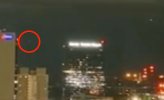
Instantaneous Acceleration - Wedding Photographer - Toledo Drone Footage [Lens Flare]

I want to add something. How can we tell this is a lens flare and not a sensor reflection?

Short answer: If the ghost light moves farther away from the light source as the camera pans... it's a lens flare. Sensor reflections stay close to the light source even when the camera moves.

I gave MW's video a winner reaction because it's an ingenious way of showing the radial movement of the flare in an intuitively understandable way


Longer version: Lens flares occur across the optical axis; the central path of light through the lens system. Lens flares typically move radially away from the light source because they are caused by internal reflections and refractions of light between/within multiple lens elements. The flare usually spreads outward along lines radiating from the position of the bright light source, and this movement is influenced by the optical axis. In the case of this lens flare, I think we are only seeing the brightest lens flare among several that are actually there, but are too dim for the sensor.

We've been saying sensor reflections here on MB but I think the technical term is sensor flare. Sensor flares (reflections) happen because light directly hits the sensor, causing scatter and reflection. There is then a simple specular reflection back to the sensor.

Since the original bright light source is responsible for the reflection, the flare is localized near the source of the light and does not cross the optical axis. It's unlike lens flare, where light reflects and refracts between multiple lens elements, often with multiple flares spreading across the frame.
 
Last edited:
I want to add something. How can we tell this is a lens flare and not a sensor reflection?
A sensor reflection is a lens flare, just a particular case where the positions of the reflections are dictated by flat surfaces (the sensor and the cover glass or front filter. We know these types of reflections are off the sensor because, in some conditions, you can see the actual sensor pixels, sometimes the patterns of focus pixels. This one is probably too small for that.

Short answer: If the ghost light moves farther away from the light source as the camera pans... it's a lens flare. Sensor reflections stay close to the light source even when the camera moves.
You seem to be describing sensor blooming or glare.

I gave MW's video a winner reaction because it's an ingenious way of showing the radial movement of the flare in an intuitively understandable way
But there isn't any radial motion. It's just a 180° mirrored image, slightly offset (with a constant offset).

I think we are only seeing the brightest lens flare among several that are actually there, but are too dim for the sensor.
Yes, but this is the one reflected off the sensor. Hence "sensor reflection". Photographers usually call it a "ghost".

Sensor reflections are confusing because the light passes through the lenses three times.
 
It's hard to explain in text, so here's an online simulator I set up to demonstrate the light paths.
2024-10-18_11-37-02.jpg


https://phydemo.app/ray-optics/simu...NwysBgmqSK5bBoU_iv4WKvNOCrH0ObXqWDjeI2_3ubUAA

Move the point of light and see the projected image on the sensor move. Here's a quick demo:

Source: https://youtu.be/dyKjulaMx9Y
 
It's hard to explain in text, so here's an online simulator I set up to demonstrate the light paths.
To see if I am understanding:

Capture.JPG

The red dot I've added at the sensor is where the desired image of the point of light is, the green dot would represent the reflected image, is that correct?
 
To see if I am understanding:

View attachment 72467
The red dot I've added at the sensor is where the desired image of the point of light is, the green dot would represent the reflected image, is that correct?
Correct.

Something to try to understand here is that the image (by your red dot) isn't just the result of that one ray of light coming from the point of the light. It's a result of all the rays that hit the surface of the lens and make it through the aperture. I'm just displaying one here. The system is set up to focus the dot's rays on the sensor. Try dragging the second red handle in the middle of the incoming beam. Moving that around changes the light path, but as the source is in focus, the image remains the same.

Reality is more like this:
2024-10-18_14-56-07.jpg

It's fiddly in the sim to get it set up right (low precision for some things), but you see (essentially) the two images on the sensor formed by the entire light field. Here's the link for this version:

https://phydemo.app/ray-optics/simu...iOzFhZvfY2crjmnCxvlpkztrKzYAyEtB-k7sPZ0D7hyUk
 
I like that online simulator quite a lot actually! You can do quite a bit -even fancy stuff- with it. It's got a flippin' detector feature!
 
With so many lights in the picture there could be more ghost images. I am not entirely sure, but there seems to be a very faint dot moving in sync with the "Ufo". It disappears when the Ufo starts to accelerate. You have to really zoom into the video to see it, I tried to capture it.
 

Attachments

  • 2nd_ufo_pic.jpeg
    2nd_ufo_pic.jpeg
    67 KB · Views: 99
  • 2nd_ufo_mov.mov
    1.1 MB
It's fiddly in the sim to get it set up right (low precision for some things), but you see (essentially) the two images on the sensor formed by the entire light field. Here's the link for this version:

https://phydemo.app/ray-optics/simu...iOzFhZvfY2crjmnCxvlpkztrKzYAyEtB-k7sPZ0D7hyUk

Are you familiar with Grant Sanderson's (3blue1brown) "Manim" package? It looks pretty handy for creating animations that could be handy at times like these.
Here's a quick howto/demo:
Source: https://youtu.be/watch?v=rbu7Zu5X1zI
 
Are you familiar with Grant Sanderson's (3blue1brown) "Manim" package? It looks pretty handy for creating animations that could be handy at times like these.
Yeah, it's pretty cool. I've never taken the time to get into it. Likewise with Jupyter notebooks.

While it would doubtlessly do a better job than the sim, the sim has a much shorter learning curve.
 
A sensor reflection is a lens flare, just a particular case where the positions of the reflections are dictated by flat surfaces (the sensor and the cover glass or front filter. We know these types of reflections are off the sensor because, in some conditions, you can see the actual sensor pixels, sometimes the patterns of focus pixels. This one is probably too small for that.


You seem to be describing sensor blooming or glare.


But there isn't any radial motion. It's just a 180° mirrored image, slightly offset (with a constant offset).


Yes, but this is the one reflected off the sensor. Hence ". Photographers usually call it a "ghost".

Sensor reflections are confusing because the light passes through the lenses three times.


Question: Did you originate the term "sensor reflection"? Or is this standard terminology in the field of photography?
 
Last edited:
"Radial" has a specific meaning within the field of photography. Two meanings, really. Not something everyone would be familiar with, and I'll explain later.

To get more technical, I really should have used the term optical ghosting drift. But I couldn't remember it at the time. Anomic aphasia. And the time was tick, tick, ticking away as I got later and later to work.
 
Last edited:
Not talking about blooming. I was talking about "sensor flare" aka "red dot flare" aka "green dot flare" aka "red dots in the lens flare."

I really should start a new thread about all this. A few issues...

What you are calling sensor reflection is a type of ghosting, and is a type of lens flare. But only if we define lens flare a certain way... the wrong way. Ack-choo-lee, "lens flare" should be restricted to describing a general scattering of light that reduces contrast. I was guilty of that misuse in my post as well, so mea culpa.

Is ghosting synonymous with lens flare? Ack-choo-lee... no. But it is a kind of flare. To get even more logic-choppy... Ghosting flare can be considered a specific type of lens flare that produces distinct, repeated shapes or images of the light source within the frame.

But, ghosting is only lens flare when it reduces the contrast of the image. That's what I was taught many moons ago.

To bring this to an actual point... Because of the inherent ambiguity of these generic terms, we really should always be specific when we talk about this kind of artifact.


The artifact in the OP video is a flare. (But what kind?) It shows marked optical ghosting drift as the camera pans. But why?

The problem we need to solve is standardizing the terminology. Which is not fully standardized in the field itself.

There are two flavors of camera artifacts caused by sensor reflections. There hasn't been any standardization of the terminology. I've seen both called sensor reflections.


Sensor Flare (the type also known as red dot/green dot flare) - is caused by specular reflections between the sensor and the internal surface of the rear lens element, or according to one source, between the sensor and the optical low pass filter which is between the lens and sensor. (Or sometimes all at the same time? Don't know. Does anyone know? This issue is still being worked out and there is a lot of speculation. What I'm saying here is an interpretation of different sources. The sources may be wrong or I may be interpreting them incorrectly. If there 's interest in this, we can work it out.)

This is akin to the barbershop mirror thing. There are reflections of reflections. The dots, apparently, are reflections of individual microlenses on the sensor. So they are not duplicate images of the light source, but are ghosts of a part of the camera.

The more illuminated areas on the sensor cause brighter dots to appear, but enough of the sensor can be bright enough to cause a visible grid pattern. And there are also reflections of reflections to consider... apparently.

The dots are more noticeable in cameras that have a shorter flange distance - the distance between the lens mount and the sensor. The luminosity of the reflections is higher at a short distance. If the flange distance is greater, the specular reflection images get too spread out to be as noticeable.

Result - Dots can appear close to the light source. And the dots can also appear across the optical axis from the light source... I guess. I think this can be called a true form of lens flare.

But I'm confident that this type of flare does not exhibit the kind of optical ghosting drift we see in the OP video. Because of that, I wanted to rule out sensor flare as an explanation for the artifact.


Aperture Ghosting - When a bright light source is in or near the frame, some of that light can reflect off the surfaces, the edges, of the aperture blades. The reflections bounce between the lens elements and form ghost images that mimic the shape of the diaphragm opening.

Result - Ghost images typically appear across the optical axis from the light source and take on the shape of the diaphragm opening. When the camera pans/tilts, the ghosts can move toward or away from the light source, depending on whether the light source is "moving" toward or away from the optical axis. Optical ghosting drift.

Ghost images are internal reflections, so they don't remain fixed in place like real objects. They drift in the frame because of optical parallax.

This is the thing most likely to be called "lens flare". But it shouldn't be, without an awareness of what the terms really mean.


Filter Flare (an old fashioned term that may have dropped out of common parlance) - Ghost images are caused by specular reflections between the external surface of the first lens element and the (flat) internal surface of a filter... or a lens cover in phones. And/or the internal surface of the filter/lens cover. Especially bad with non-coated filters/lens covers.

Result - Ghost images appear close to/overlap the light source.

The ghost image gets farther away from the light source if a filter in an old fashioned filter holder, or the lens cover on a phone, is cattywampus. (The double Sun syndrome.)


Ghosting caused by Lens Element Reflections - When light passes through multiple lens elements in a camera, some of it may reflect off the external/internal surfaces of the lens elements and back into the camera. These reflections can then be re-imaged onto the sensor or film.

Result: Duplicate images of the light source. The ghost images tend to appear close to the light source. But why? The reflections scatter inside the optical system, but the reflections are, generally, less bright the farther away they are from the bright light source. But it's perfectly possible to have a single, bright ghost image of this type far away from the light source and across the optical axis. Complicated.


Ghosting caused by reflections between the sensor surface and the internal surface of the filter... or lens cover - What you're talking about. To be clear, I'm afraid you should always use this lengthy descriptor. Because simply calling it "sensor reflection" is ambiguous.

Your simulation does not include a diaphragm. Have you worked out what the effect of the size of the aperture would be?

The ghost images are across the optical axis and should exhibit marked optical ghosting drift as the camera pans/tilts, due to optical parallax effects. But I've never seen an example of this. We have seen "destabilized sensor reflections".


One big issue that should be considered. Do ghost images caused by reflections between the sensor surface and the internal surface of the filter... or lens cover often (or always) exhibit a color cast?

Reflectivity of the Sensor - the sensor surface may have different reflectivity for different wavelengths. I think this is why sensor reflections are known as red dot or green dot flares. So why would that not be a universal thing in sensor reflections?


https://www.dpreview.com/forums/thread/3698085
These ghost reflections are generally caused by having a filter on the lens and using a large aperture (small f number). The are caused by light reflected back by the sensor, then reflected again by the back surface of the filter which is just in front of the lens.

However, these reflections are generally very weak as good quality filters have an anti-reflection coating to reduce these ghost reflections. The ghost reflections in your image are a lot stronger than I would expect, suggesting that an uncoated filter was being used.

Good quality filters produce noticeable ghost reflections only in quite extreme lighting situations: extremely bright lights and a dark background against which the ghost reflections are made visible. See the example below:

0ffdb654d32d46aa8a9b9af32f4c8412.jpg


Note the green cast. I don't think this is solely due to the color temperature of the lights but because of the quirks of the light reflecting off the sensor. Certain wavelengths of the light are being reflected more strongly.

 
Last edited:
Is the ghost image in the OP video an aperture ghost? Is the aperture roundish in this camera?

Or is it a ghost image caused by reflections between the sensor surface and the internal surface of the filter... or lens cover?

How can we tell? We can't, really.

Arguing for "sensor reflection" - The ghost is bright. Does that mean it's more likely to be a "sensor reflection"? Maybe. But that would mean the camera would have to have an uncoated filter or lens cover. Does it? Don't know.

Would this type of ghost image exhibit a color cast? (Don't know.) But this one doesn't seem to have a color cast.


Arguing for aperture ghost - Aperture ghosts can also be bright, if the diaphragm blades are more reflective than they should be. Not an uncommon problem with cheap cameras. It would mean the camera would have to have a roundish aperture. Does it? Don't know.

Least likely - Ghosting caused by lens element reflections; because of the brightness and the drift. Also the lens elements would be more likely to be coated - a quality coating - than would a lens cover. But it's not impossible.


So I think our conclusion should be: Camera artifact. Flare of a type that exhibits marked optical ghosting drift as the camera pans, due to optical parallax effects.
 
Last edited:
I've seen my posts described as (too) long. But short posts can lead to imprecision and ambiguity, and confusion. As did my (relatively) short post - post 41

https://www.metabunk.org/threads/in...e-footage-lens-flare.13702/page-2#post-325543

Also, short posts that I write before going to work and don't think through fully... as I'm getting later and later to the place of work that people pay me to be at. I just can't seem to break that accursed habit.

Bottom line. I'm going to keep writing long posts.
 
Which ghost image is ghosting which light. The ghost images cross the optical axis. Note that they aren't particularly bright ghost images, but that's because the filter is coated. You could expect them to be brighter with an uncoated lens cover.

It's remarkable to me that the light on our far left has no duplicate image, Nor do any of the other lights for that matter. Why? Could it be that there's a zone, the center of frame near the optical axis, which is prime for this kind of artifact? Maybe outside of this zone, the duplicate images are not produced?
102.jpg

0ffdb654d32d46aa8a9b9af32f4c8412.jpg

The duplicate images are very green. If these are mercury vapor lights, this could be the true color temperature of the lights, visible because the ghost images are reduced in brightness. Ambiguous as to what's causing this green color.

Another example
140b349d210445908cb587e5cb56343b (1).jpg

140b349d210445908cb587e5cb56343b.jpg

Note that the ghost image is upside down - rotated 180 degrees - but not mirror imaged. I don't know if there is a color cast. Are the letters on the screen blue-green and look white because they are washed out? Can't tell.


I've presented this YT video before, as an example of "destabilized sensor reflections".


The duplicate images seem to be produced only by lights within the center of the frame. But this is more ambiguous. Later, as the camera tilts and the Moon is closer to the center of the frame, a duplicate image of the Moon appears.

The brightest ghost image of the electric lights does show a color cast. The dimmer ghosts do too, but harder to notice. The smallest ones... it's more ambiguous. They may have the same color cast, but very hard to make out.

Is this because the duplicate images are dimmer and therefore are simply showing the true color temperature of the street lights? Are they mercury vapor lights? Maybe. So far this is ambiguous.

The duplicate image of the rocket exhaust appears the same color as the rocket exhaust. Does this disprove the color cast idea? Maybe. It could just show that the rocket exhaust has no green wavelengths to selectively reflect. The onsite videos of the launch show that the exhaust is rich in reds. Add in 50 miles of atmospheric extinction...

But this is also ambiguous. So far, I can't show that these ghost images have a color cast due to selective reflection of wavelengths from the sensor.

The duplicate image of the bright rocket exhaust dances around the real image, as the rocket exhaust image "moves" around relative to the optical axis. Once again this is due to optical parallax.
 
Last edited:
Sensor flare. The red and green dots or streaks we see surrounding the Sun.
105.png

https://photographylife.com/fuji-x-trans-flare-ghosting-issue
Probably has to do with microlenses on the surface of the sensor that are very prone to reflections. Since the light is falling at extreme angles to the surface of the sensor when it passes through a small aperture opening, the angle of light is most likely the cause of such microlens reflections. Interestingly, this effect is minimized when the sun is in the center of the frame...
Could it that reflections between the sensor surface and the internal surface of the filter... or lens cover don't show a color cast because the angle of the light is more direct? Does the angle affect the way the light is reflected?

Sensor flare seems to occur more strongly on the sides of the frame. Could it be that reflections between the sensor surface and the internal surface of the filter... or lens cover occur more strongly in the center of the frame?
 
Last edited:
Question: Did you originate the term "sensor reflection"? Or is this standard terminology in the field of photography?
It's a term I've used for a while for what we see in this video. There really is no standard terminology - with "flare" being used for all manner of things.
Your simulation does not include a diaphragm. Have you worked out what the effect of the size of the aperture would be?
I think it would just make the reflection darker.
 
I think so too. The sensor flares are brighter with a reduced aperture because it causes the light to fall at extreme angles to the surface of the sensor, on the edge of the sensor.

The angle of the light would not be changed in the center of the sensor by reducing the aperture. And that's where the reflections between the sensor surface and the internal surface of the filter... or lens cover seem to occur.
 
The angle of the light would not be changed in the center of the sensor by reducing the aperture. And that's where the reflections between the sensor surface and the internal surface of the filter... or lens cover seem to occur.
They occur over the entire frame in iPhones, but do seem brighter in the middle.
 
Back
Top