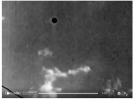
How this could be done by a low level pro-photographer with limited resources but a lot of patience and motivation. I haven't read other explanations yet, so this is solely my take. Everything is based on known, vintage techniques.
Things to notice:
-The spot remains in the same position relative to clouds, even as it wanders through the frame due to camera movement
-The spot is featureless
-Spot is a hexagon
-It has a halo
-It's a bit jittery; meaning it changes position relative to the clouds slightly.
Hand Painting
Paint the POSITIVE print frame by frame with ink, water color or some kind of dye. Most likely India ink. I obnoxiously put the word positive in all caps in order to avoid confusion. The film in the camera would be the negative. A positive print is produced to put in the projector. That's the one you would paint on.
Then another negative would be made with that altered positive print. Then another positive print, or prints, would be made from that negative.
How to explain the "halo" - India ink is mostly water. Water has surface tension. Even a thin layer of India ink on the film will tend to be thickest in the middle and thinner toward the edges. The center of the splotch is solid but the edges get more and more translucent.
Jittery effect: Self evident. This is done by hand. Can't be expected to be perfect.
Hexagon shape: Maybe a stencil was produced and used to produce a consistent shape while brushing on the ink. The most straight forward way to make the stencil would be cutting a hole in card stock or whatever with a razor blade. Straight edges are easier to cut than a round hole. (May make halo even more evident as the ink might bleed under the edges of the stencil and produce a super thin layer.
You would use the clouds as a reference as to where to put the splotch in each frame.
Animation Stand
Thing to note is that the splotch would be tiny in each frame of 16mm film. A more advanced method would be to produce paper prints of each frame to a good size. Produce paper prints, each with a black spot, and use an animation stand to produce a new in-camera negative. This is the method used to make animated cartoons.
Hobbyists at the time messed around with animation stands... for fun. Including simple home made versions.
Halo: Shape on each print was done by masking the print with a hexagonal hole. First you expose the print as normal. Then place the mask over the print that has a single hexagonal hole in it, and "burn in" a black spot through the hole. There's a bit of light bleed around the edges.
Jitter: Each print is hand made. Can't expect perfect results.
Single Large Print
Make a single large print for each scene - with spot - and wave a hand held movie camera over it. Clouds don't move noticeably during the short clip so who's to know the difference?
Doesn't fit because of the jitter.
Emulsion Scratch
Scratch the emulsion away from the camera negative with a razor/blade. That leaves a hole in the negative and naturally that hole is going to let the maximum amount of light through during the printing process and will produce a black spot on the positive print. This was a very common method of "improving" prints in the days of glass negatives. Hard to do on roll film, and again we have to consider the tiny size on a frame of 16mm film... but
possible.
I rate this as very unlikely.
It is interesting however that the spot is in the form of a hexagon. It's easier to scratch the spot with straight edges.
Halo: Diffraction effects around the edges of the hole in the emulsion.
Under Table Suspect: In-camera matte techniques
This technique was used in the 1933 version of
The Invisible Man.
Very hard to do with limited resources. And why produce a featureless spot? If you went to the trouble of using this technique, why not produce a film with a detailed model?
Halo and jitter: This technique can produce these effects.
None of these are really likely. Needlessly difficult and laborious.