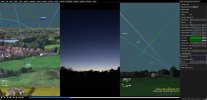
The easiest way to use Sitrec for ADSB is to start with the chatbot
https://www.chatbase.co/chatbot-iframe/jm08ypN4zneL5S7wU2QOD
Enter the date/time/location in there and it does time-zone conversion to UTC (air travel industry works in UTC) for you (it's AI so double check the conversion if it seems off, usually it's bang on though)
You'll get some links, one for ADSB Exchange and one for Sitrec (as well as FR24 and Google Maps)
Click on the ADSB Exchange link and it will take you to the place/time you entered in the chatbot, find the plane you want (sometimes harder than you might think given the amount of air traffic etc)
There is filtering on the right if you know say the flight number, or even the airline (and the associated flight number code) or by altitude and know it was a low aircraft like a helicopter, you get to learn the ways to find the aircraft you are after.
Then select the plane by clicking on it's icon, you'll see the plane information panel come up on the left, scroll to the bottom of that pane by hovering over the pane and using your mouse wheel (or equivalent on your touch pad)
Then play forward a bit past the end of the video/sighting time to give some head room (so you don't have to re-download it if a longer video comes out etc) playing the data forward also allows better loading of plane data and headings etc so it's worth doing.
On the plane panel down the bottom you'll see the Export KML buttons
Click the top one, your browser will download the KML file
Then open the Sitrec link in a new tab and drag in the KML file you downloaded, because the Sitrec link and the ADBS link are from the same location and time you should see the plane pretty much straight away, but turning on the labels helps as does setting the plane as the camera target and switching the camera to point at the target.
Hope this helps
(It gets more complicated with multiple plane extraction and especially if it's a long video like a time-lapse where multiple planes might come and go in the period filmed)