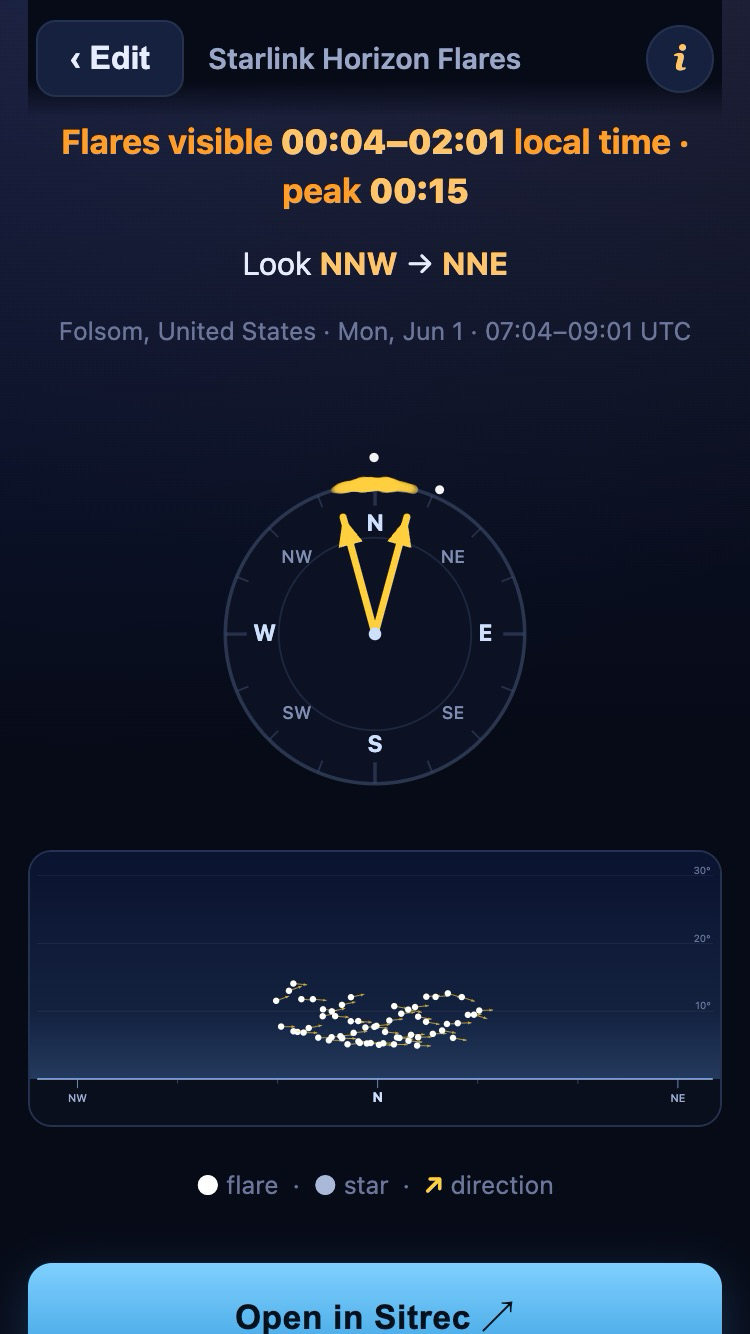
I've a UX question. Is it possible to change this to support browser back button functionality?
I tried it out on my PC and once the results page was displayed, I was initially a bit flummoxed that pressing the back button on my mouse, didn't trigger a return to the edit screen. It wasn't immediately clear how to get back to the editing screen, although after a couple of seconds I noticed the "Edit" button in the top bar.
It looks like this is laid out for mobile, which makes sense for this kind of thing, but viewing it on a monitor, the Edit button not being near the top left corner of the page threw me a bit.
Related to this, the "Install App" button drew my attention first when looking for a way back to the Edit screen, as it's in one of the places I'd most expect a back button to be, as it's right below the results, so where my attention landed after reading them. When I realised it was an install app button, my reaction was a bit uncomfortable, as it appeared I was being pulled towards installing an app.
If I'd come across this via a random web site, that I didn't have as much trust in as Metabunk, it would set off alarm bells for me, as it has a "dark patterns" feel to it. I'm not saying that's intentional, but the position of the install button and lack of normal back button functionality produced that reaction in me and it might do for others, who aren't very familiar with (and trusting in) this site. Adding a bit of vertical space between the results box and the Install App button might help too.
Then again, I first tried this on my PC, so I already had the "edit button isn't the right place" idea stuck in my head, when I subsequently tried it on my phone. If I'd tried it on there first, I might not have reacted this way.
Anyway, just thought I should mention this.