Downloading video from NUFORC using Firefox (other browsers probably work)

jarlrmai

Senior Member.
Obtain the NUFORC link eg:

https://nuforc.org/sighting/?id=194812

Open in Firefox

Press F12 for the developer view

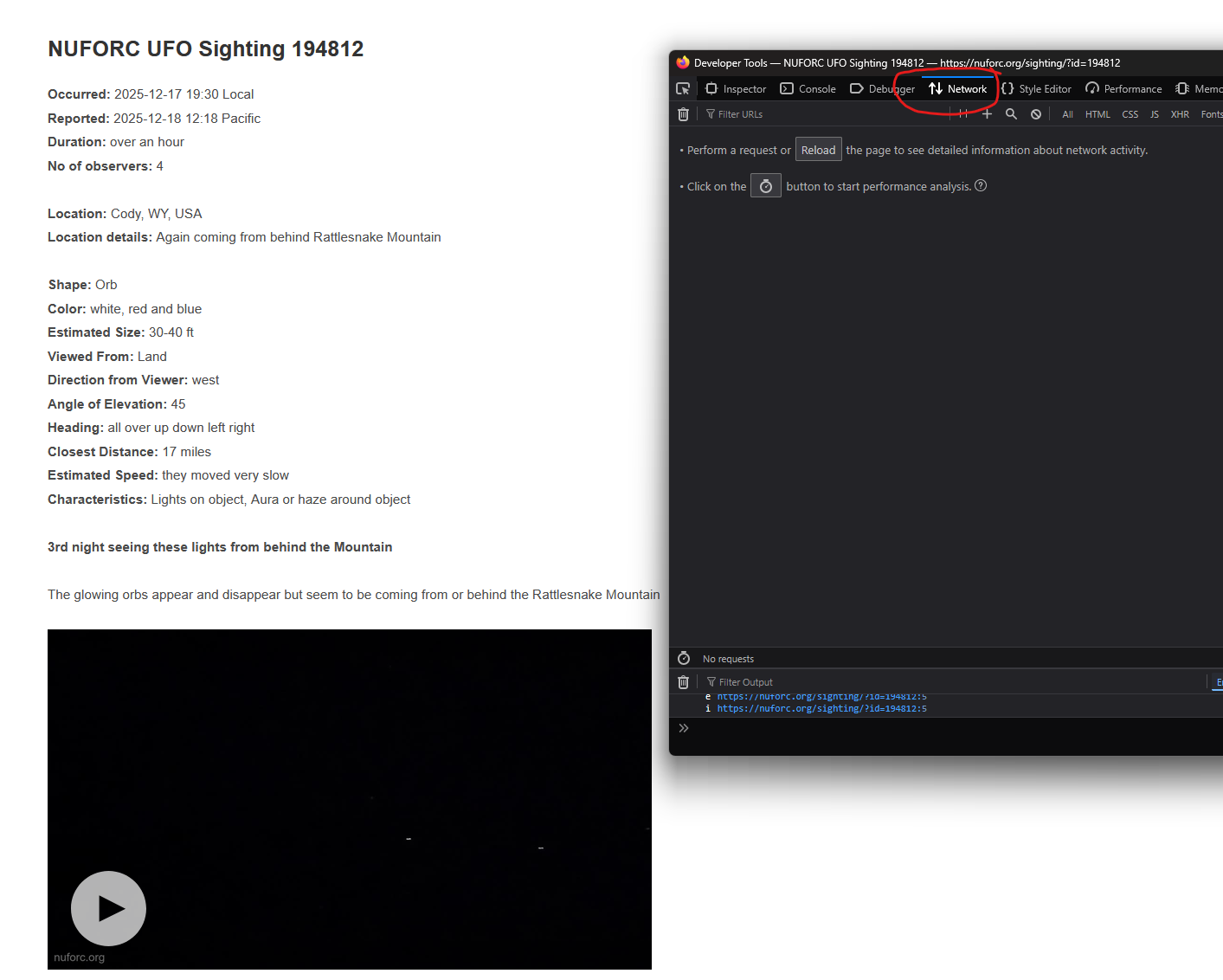
Switch to the Network tab
1793873857728.png


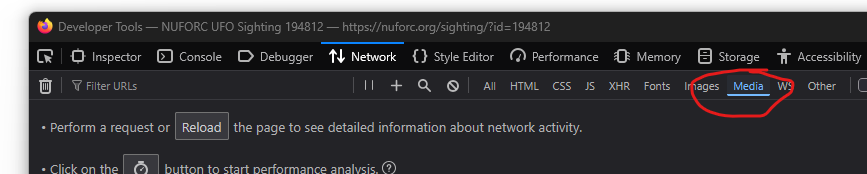
Filter by Media

1793873899832.png


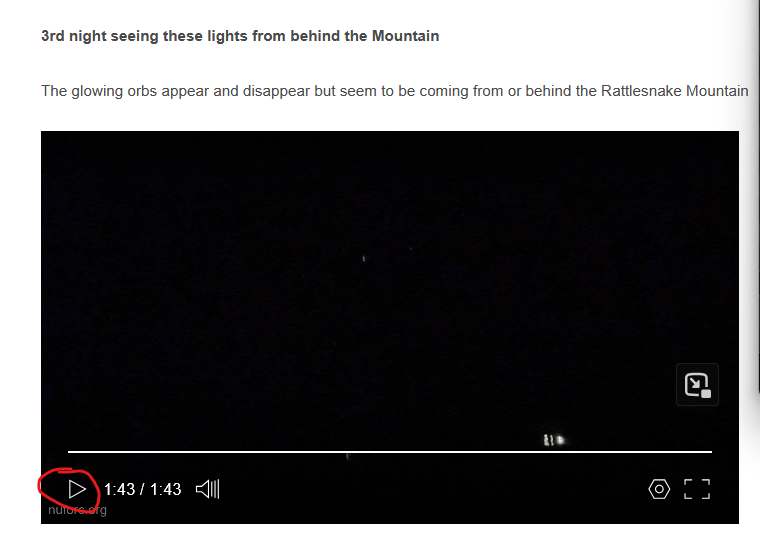
Press play on the video you want
1793876657478.png


This will then start to show the media links in the developer view, the media links will repeat they are chunked but each will reference the source
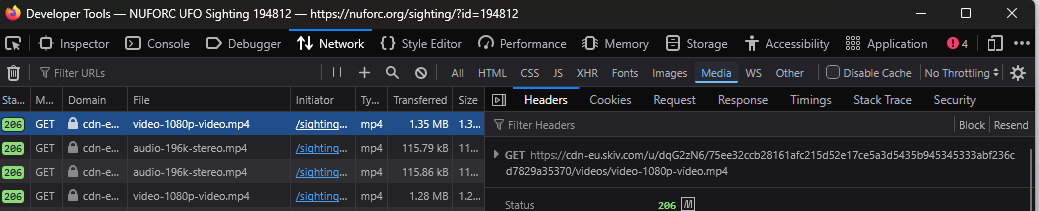
1793876696928.png


The backend streaming service splits the audio stream so if you want the audio then you need to download it separately and remux later

Double clicking on the GET link (under Filter Headers) will open it and download it (depending on your browser settings)

No metadata will be present and the files are watermarked and so have been re-encoded, but these will be best quality available for a NUFORC sighting.
 
Thanks for this

There is another method I have used that involves using the VLC media player program. I can't say if it is any easier, or if the quality is different, but it will include the audio.

Similar to the above method, it starts on the the "Network" tab of Firefox's developer tools. When the video starts to play in the browser there should be a row just before all of the video and audio chunks where the file column is something like "dash.mpd?v=x" and the type column says "octet/stream". Right click on this row and "Copy Value" -> "Copy URL".

Then in VLC click the "media" menu in the toolbar, then "Convert/Save". Then select the "Network" tab, paste in the url from Firefox. On the next page I typically use "webm" as the file format. Provide a filename to save the file and then after clicking the "start" button VLC will download both the video and audio to the file location you specified.

Edit: looks like my method is downloading a low resolution version of the video unlike @jarlrmai 's method which gave me a higher rez video.
 
Last edited:
I starting digging around in the http requests to see how the video file discovery was done and found the NUFORC public user account page on the CDN provider (skiv.com) where all the videos are uploaded. All of the videos are public and named with titles that correspond to the NUFORC sighting ID (e.g., "S194812 1" for the sighting in OP), and there is a public search API that can be used to search the videos uploaded there. With this info I was able to guide claude code to create a yt-dlp plugin for nuforc.org to download videos for sightings.

Note: yt-dlp is a command line program that can download videos from various sites and is extensible via plugins like this.

The nuforc.org site itself uses a cloudflare portal so yt-dlp can't load it without having it read cookies from a browser that already got passed the portal, and manually setting the user agent to the exact string the browser uses. But since the CDN provides a video search API and the sighting ID is in the title, we can just skip loading nuforc.org altogether and go directly to the CDN search.

So with this plugin you can just download the video(s) for a case from one cli command without digging in the developer tools. And even better, the CDN provides the original file uploaded by NUFORC, which the web player never loads (the web player only loads the re-encoded DASH files), and this is what the plugin downloads by default.

At some point NUFORC seems to have started uploading their own re-encoded version of the sighting video with their own watermark and the metadata zeroed out (such as the case in OP), but in a case from 2023 all 4 of the original videos have no watermark and have the original metadata. Even where they have zerod out the metadata and added their watermark, downloading the original video uploaded to the CDN is still better because it's closer to the video uploaded by the reporter (the DASH video and audio is split from the original video uploaded to the CDN and then re-encoded, so quality is further degraded compared to the original CDN upload).

With the plugin installed, I downloaded the video from the case in OP with:

yt-dlp 'https://nuforc.org/sighting/?id=194812'

Which created the file 'NUFORC UFO Sighting 194812 [VU87G23].mov'

I downloaded the 4 videos from the 2023 case with:

yt-dlp 'https://nuforc.org/sighting/?id=178702'

Which created the files

'NUFORC UFO Sighting 178702 (1) [XovXWTv].mp4'
'NUFORC UFO Sighting 178702 (2) [hSUJPXA].mp4'
'NUFORC UFO Sighting 178702 (3) [YQHgz5D].mp4'
'NUFORC UFO Sighting 178702 (4) [ji63r9J].mp4'

Cases with no videos just report that no videos were found.


The github repo is here and has instructions for installing the plugin with pipx and pip:
https://github.com/MonkeeSage/yt-dlp-nuforc
 
Back
Top