

We often see spotlights on clouds as UFOs. Now you can add them to Sitrec.
https://www.metabunk.org/sitrec/docs/Spotlights.html#spotlights
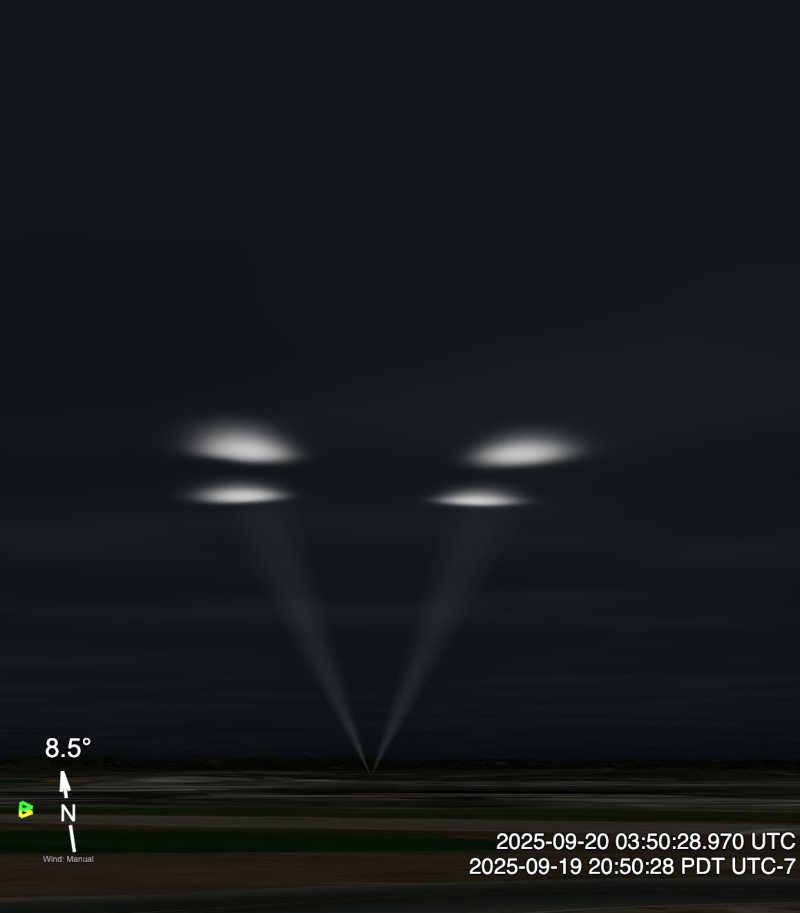
https://www.metabunk.org/sitrec/docs/Spotlights.html#spotlights
External Quote:
- Start with a nighttime scene. In Lighting → Clouds → Preset, choose Overcast Stratus. This gives continuous cloud cover with a base at 400 m above the WGS84 ellipsoid. If the ground is high, raise Base Altitude so the layer is above your projector. Tick L on the Clouds folder to draw it in Look view. Cloud layers and altitude
- In Main view, right-click the ground where the lamps would stand and choose Add Spotlight. The projector editor opens. A new projector starts with four beams chasing each other around a circle.
- In the projector's Preset menu, choose SkyTracker STX4 · four-beam cloverleaf. Point the Look camera at the cloud base above that location and play the timeline. The four spots come together overhead, spread outward and meet again. Pause or scrub to compare a particular frame.
- Turn on Show beam cones to see where the beams come from. Turn it off to compare just the cloud patches with the video. The cloud patches remain visible with the cones off.


