

Astrometry.net often works very well for finding where in the sky we are looking, but is not great with frames from videos that are noisy or contain other moving objects.
So I created a star tracker that attempts to resolve what lights in the scene are stars, and then figures out what the stars are, what the lens FOV and distortion is, and where we are looking in the sky, and then points the camera at those stars.
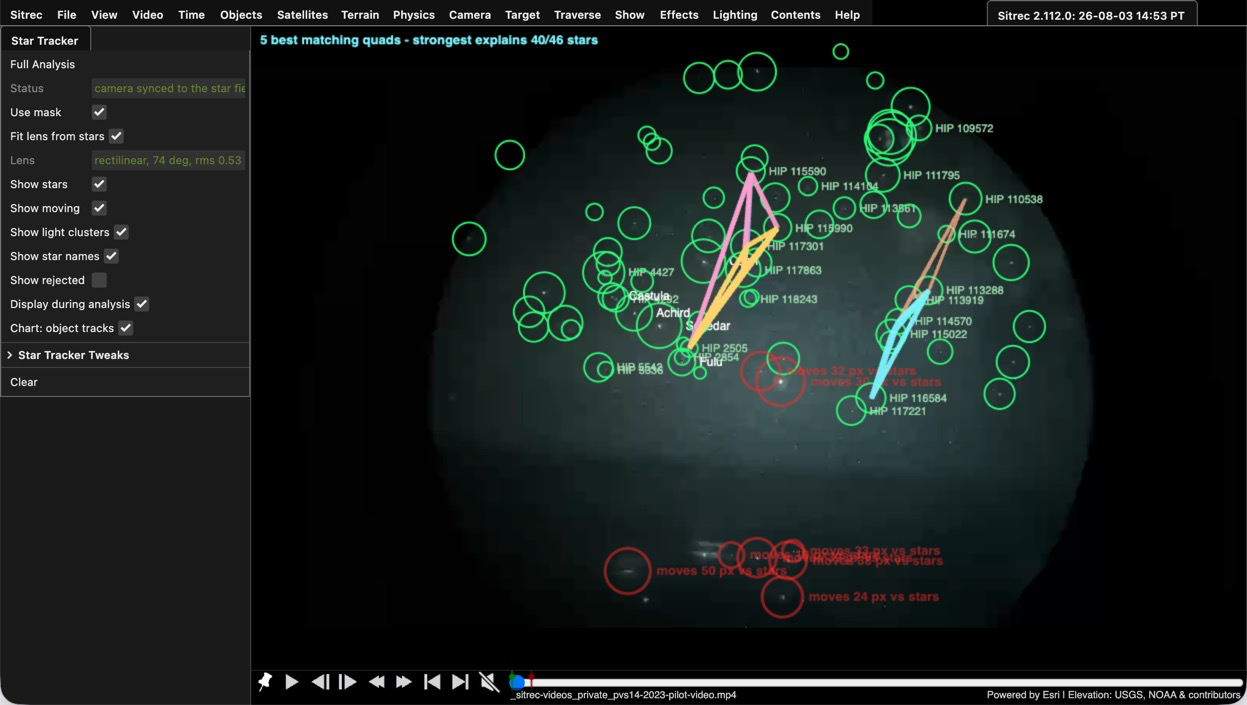
To use it Video/Star Tracker/ then "Full Analysis". If you get bad results due to stuff being in the way (like trees), then use Video/Masking to mask out the trees (Auto masking still in progress)
Full Analysis will point the camera at the stars. This works best if you already have the correct time and location, but you can also adjust those manually to find one that is possible.
More details: https://www.metabunk.org/sitrec/docs/StarTracker.html
So I created a star tracker that attempts to resolve what lights in the scene are stars, and then figures out what the stars are, what the lens FOV and distortion is, and where we are looking in the sky, and then points the camera at those stars.
To use it Video/Star Tracker/ then "Full Analysis". If you get bad results due to stuff being in the way (like trees), then use Video/Masking to mask out the trees (Auto masking still in progress)
Full Analysis will point the camera at the stars. This works best if you already have the correct time and location, but you can also adjust those manually to find one that is possible.
More details: https://www.metabunk.org/sitrec/docs/StarTracker.html


