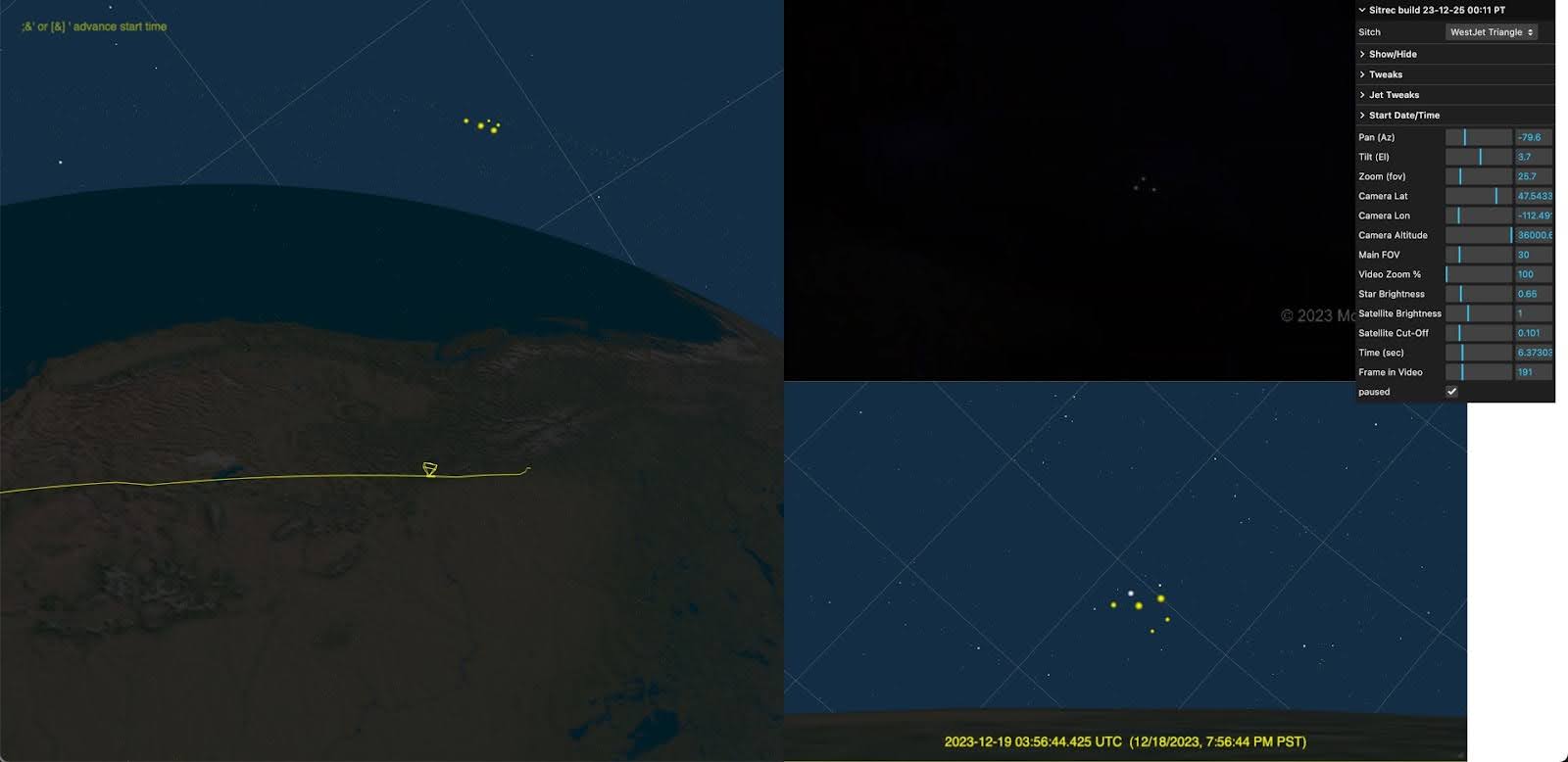
A "sitch" is a situation - i.e. a scenario that is being recreated. Each sitch is defined by one Javascript file, and (optionally) some data files.
To create a new sitch, the simplest way is to copy and rename an existing one that does something similar to what you want. So, for example, if you want to recreate a video of one plane being viewed from another plane, you could use the "Lake Michigan" sitch as a base.
Let's call the new stitch "Springfield" (just an example name), and assume you have KML files for the two planes, along with a location and time.
files structure with the new files:
terrain descriptor, along with:
skyColor: adjust the sky colorIf you don't have a video, you can just remove references to one, but you'll still need to specify a number of frames (you can leave fps at 30)
For testing, you can either use a url denoting the sitch, like:
https://www.metabunk.org/sitrec/?sitch=springfield
Or you can change the "localSituation" line in config.js
const localSituation = "springfield";
A sitch will generally have multiple views, each view has an id, specifically:
This is the preferred naming convention, but some older bits of code or comments might refer to lookView as the NAR view (as it was NAR mode on the ATFLIR system in the original "Gimbal" sitch)
The camera position is specified by two lines:
startCameraPositionLLA:[42.647359,-86.678554,23575.039421],
startCameraTargetLLA:[42.653377,-86.670554,23235.005817],
These are LLA (Latitude, Longitude, Altitude in meters) positions. Note some sitches have the position specified as EUS local coordinates. LLA is preferred as the EUS coordinate system can change if you do things like adjust the resolution of the terrain.
Some legacy sitches specify the camera position in EUS coordinates (i.e. local x,y,z being East, Up, and South). This is not recommended, as it can change if you adjust the terrain resolution.
To get the camera position, just move it to where you want and then copy-and-paste the LLA lines from the debugger console output.
To adjust the "views" (the on-screen rectangles that show something like a 3D view of the world, a video, an image, a graph, etc), you can add a view rectangle specifier for each one. For example:
lookView: { left: 0.75, top: 0.35, width: -0.75, height: 0.65,},
videoView: { left: 0.5, top: 0.35, width: -0.75, height: 0.65,},
mainView: { left: 0.0, top: 0, width: 1, height: 1},
Positions and size are specified as a fraction of the screen's width and height If one component (width or height) is negative, then that means it is a multiple of the other one. In the example above, we use a height of 0.65 of the window height, and then 0.75ths of that for the width. This ratio comes from the width and height of the video.
Note in the above, mainView covers the entire screen (width:1), but it's also typical to limit it to half the screen (width:0.5).
Note: This was originally a sitch specified in code, but the same format is used for the dynamically loaded files that are parsed as text. This was in src/sitch/SitWestJet.js (as a code module), but is now in data/sitWestJet.js (as a text file)
export const SitWestJet = {
    include_pvs14:true,
    name: "westjet",
    menuName: "WestJet Triangle",

    files: {
        starLink: "westjet/starlink-2023-12-18.tle",
        cameraFile: "westjet/FlightAware_WJA1517_KPHX_CYYC_20231219.kml",
    },

    videoFile: "../sitrec-videos/private/UAP Sighting by WestJet Passengers 12-18-23 16-05 clip.mp4",
    startTime: "2023-12-19T03:56:12.560Z",
    frames: 782,

    mainCamera: {
        fov: 30, near:1,  far:60000000,
        startCameraPositionLLA: [38.602145, -86.506588, 4159762.165337],
        startCameraTargetLLA: [38.603456, -86.509621, 4158895.037381],
    },
    lookCamera:{ fov: 10, far: 8000000 },
    cameraTrack: {},
    ptz: {az: -79.6, el: 0.6, fov: 25.7, showGUI: true},
    altitudeLabel:      { kind: "MeasureAltitude",position: "lookCamera"},
}
WestJet is a case of Starlink satellites observed from a plane. This new case was similar to the PVS14 sitch, so we use that as a base with the include_pvs14 line.
The remaining lines show everything that needs to change
Note the views are not changed from PVS14, as it's a fairly standard landscape mode.